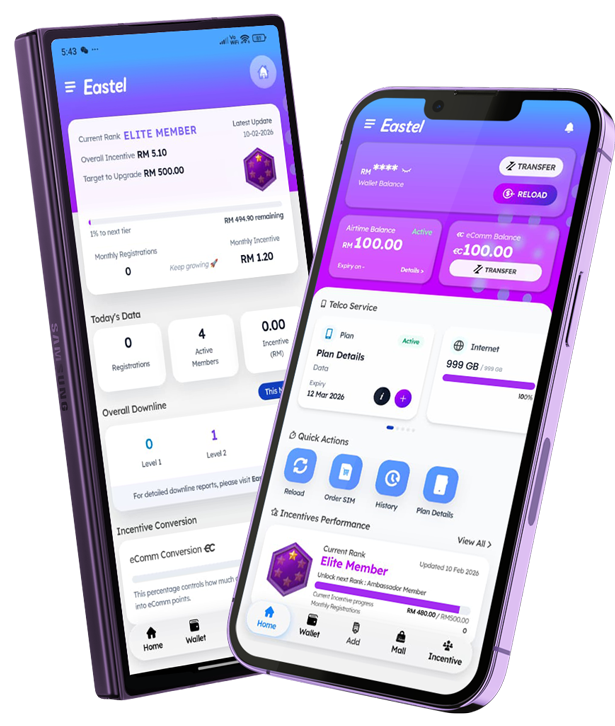
Download Eastel App

Manage your Eastel Account seamlessly.
Manage your account or onboard new prospects anytime, anywhere with Eastel App.


FAQ(s)

a) Make sure you have already registered as an EASTEL user and inserted EASTEL SIM card into your phone.

b) Download the “EASTEL” app from the App Store or Google Play Store.

c) Open the EASTEL app.

d) Tap “First Time Login?”.

e) Enter your EASTEL mobile number.

f) Tap “Send OTP”.

g) Check your SMS and enter the OTP you received.

h) Set your 6 digits pin.

i) Back to login – Enter your ID number (MyKad, Passport, or other ID used during registration).

j) Enter the 6 digit pin you set.

a) Make sure your SIM card is active.

b) Make sure your SIM card is inserted into the device.

c) Ensure you have mobile network coverage.

d) Check that SMS is not blocked on your device.

e) If you still don’t receive the SMS, restart your phone and request the OTP again.

If the issue continues, please reach out to EASTEL Support and we’ll assist you further.